See AeroPath in action
One connected view of the whole flight.
From planning and simulator connection to automatic tracking, airport data,
landing analysis and replay, AeroPath keeps the complete flight workflow in
one place.
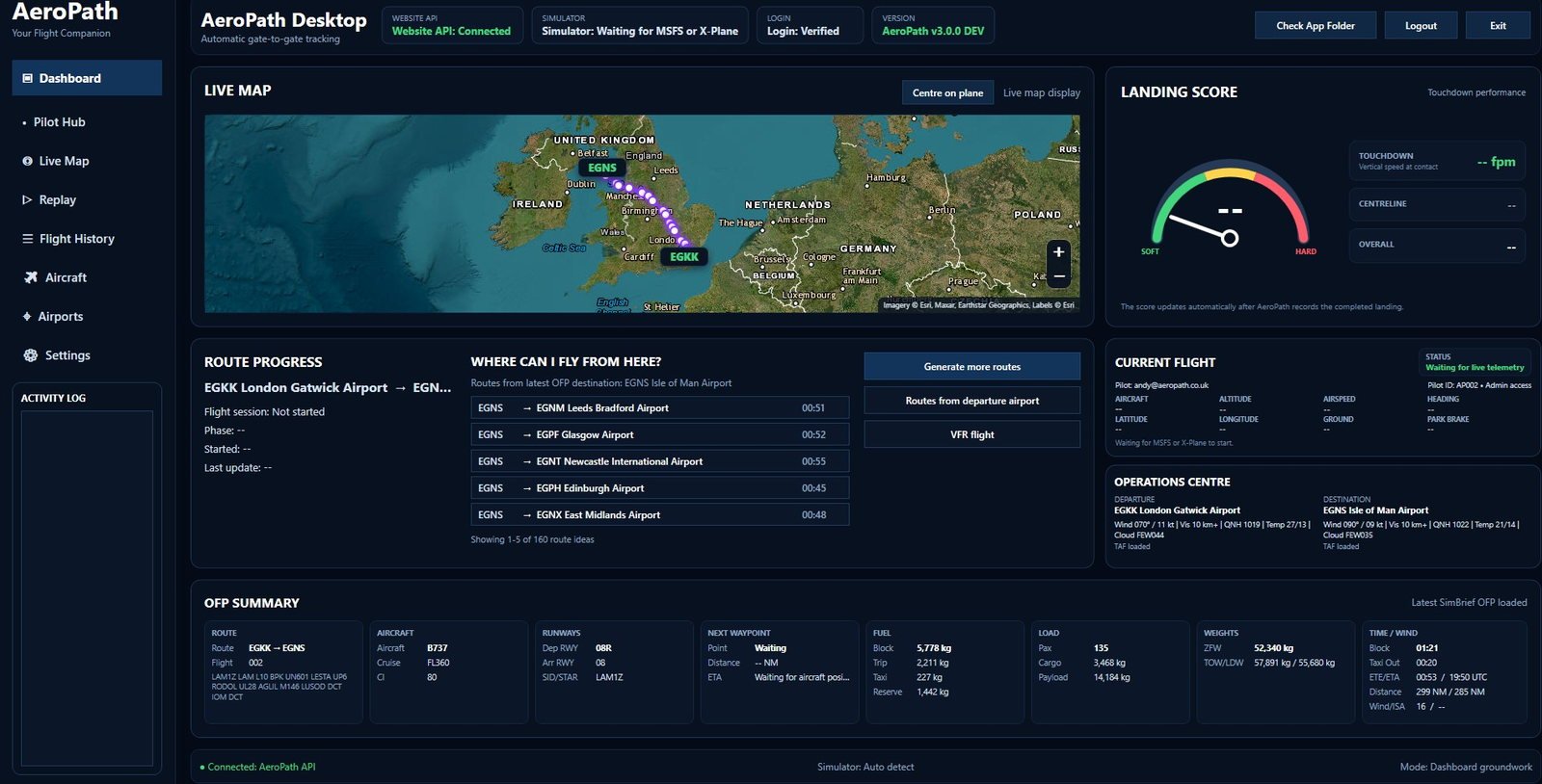
Live flight
Main flight dashboard
The main operating view brings together live aircraft position, route
progress, simulator status, current flight phase, weather and loaded
flight-plan information while AeroPath tracks the sector automatically.
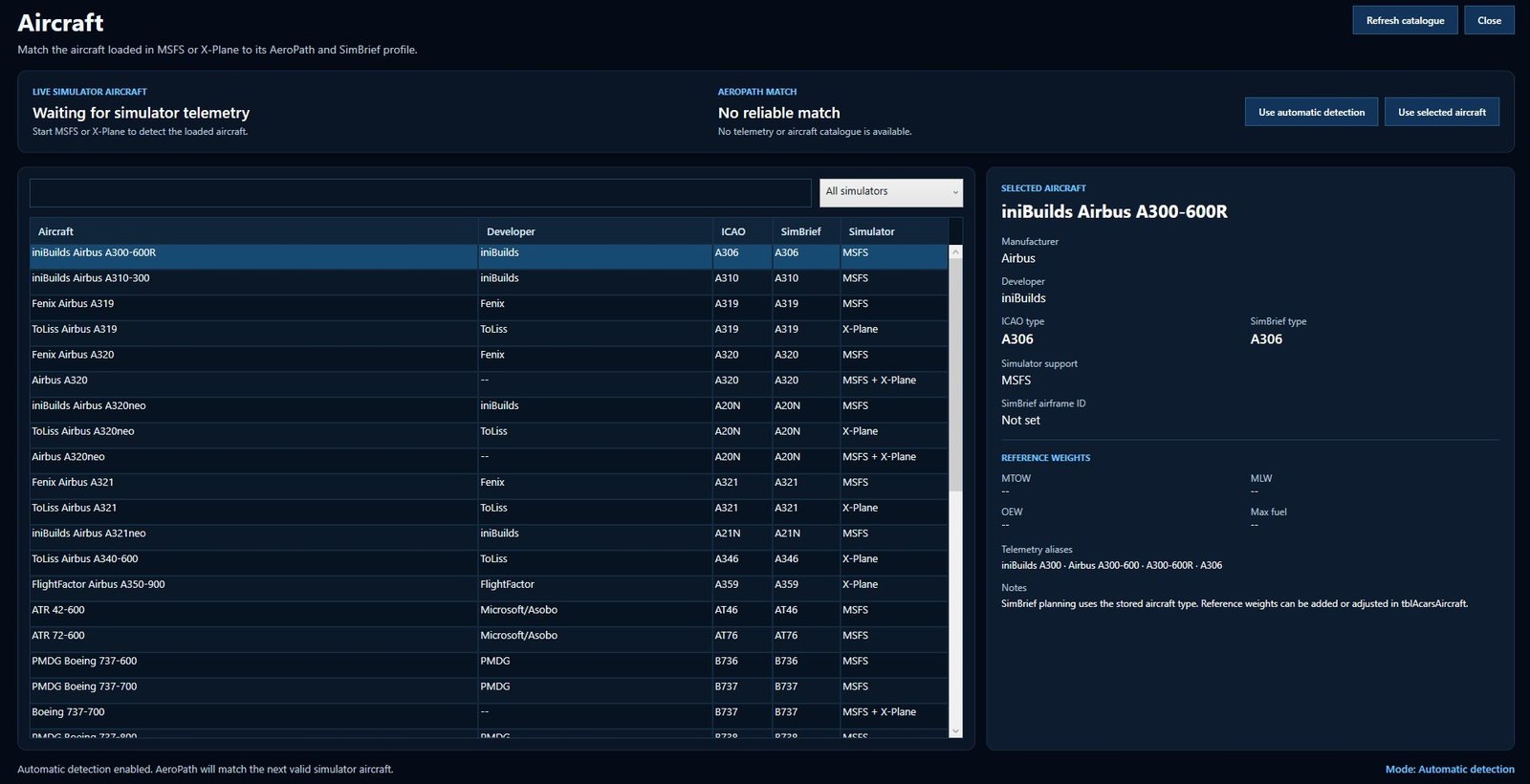
Aircraft
Aircraft matching
AeroPath identifies the aircraft loaded in the simulator and matches it
to the correct ICAO and SimBrief profile. Aircraft identity is also used
across Group Flights and multiplayer model matching.
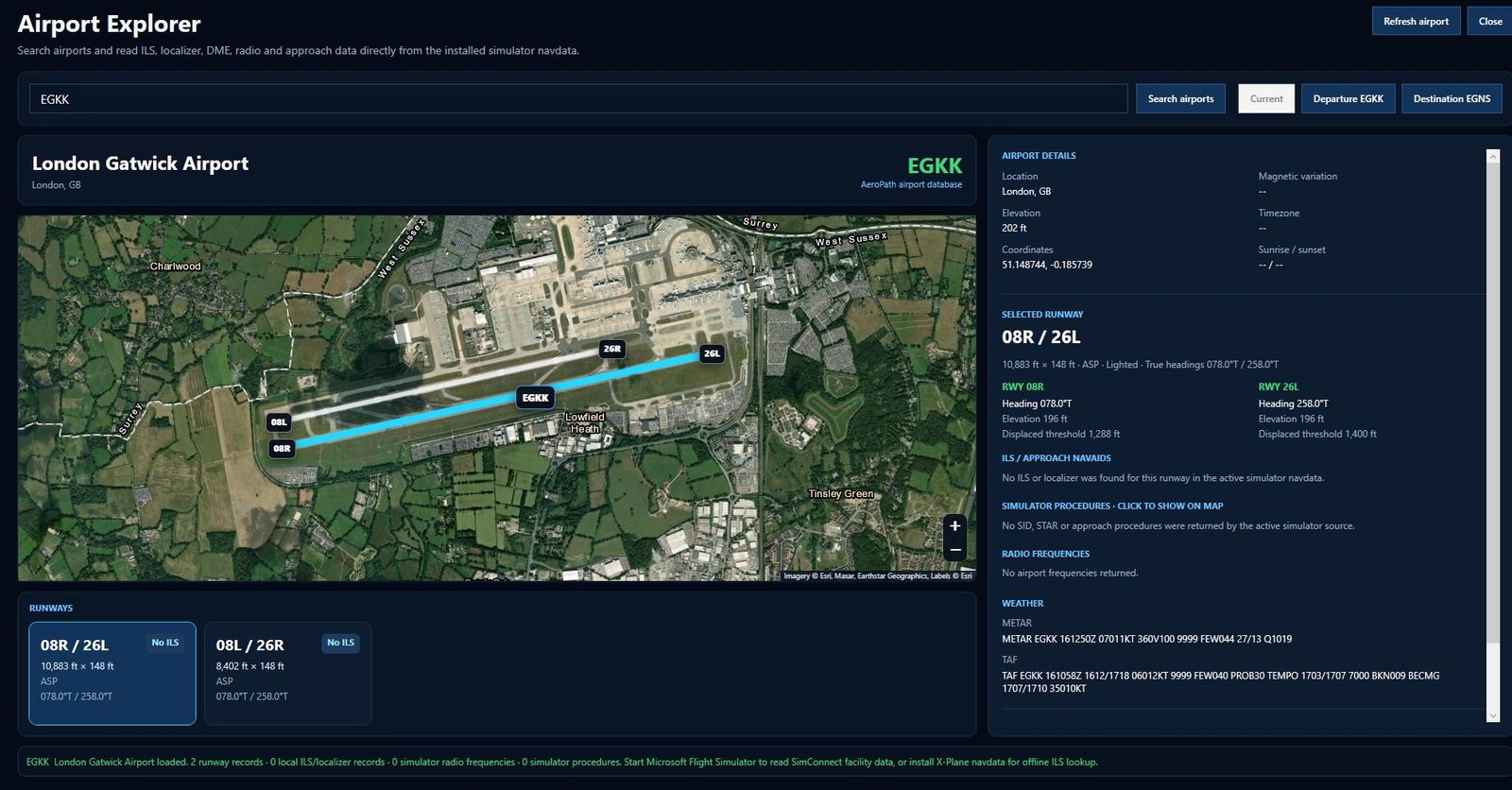
Plan and explore
Airport Explorer
Search airports and review runways, ILS information, frequencies, weather
and simulator-supplied SID, STAR and approach data. Procedures can be
plotted directly on the map with waypoint and altitude information.
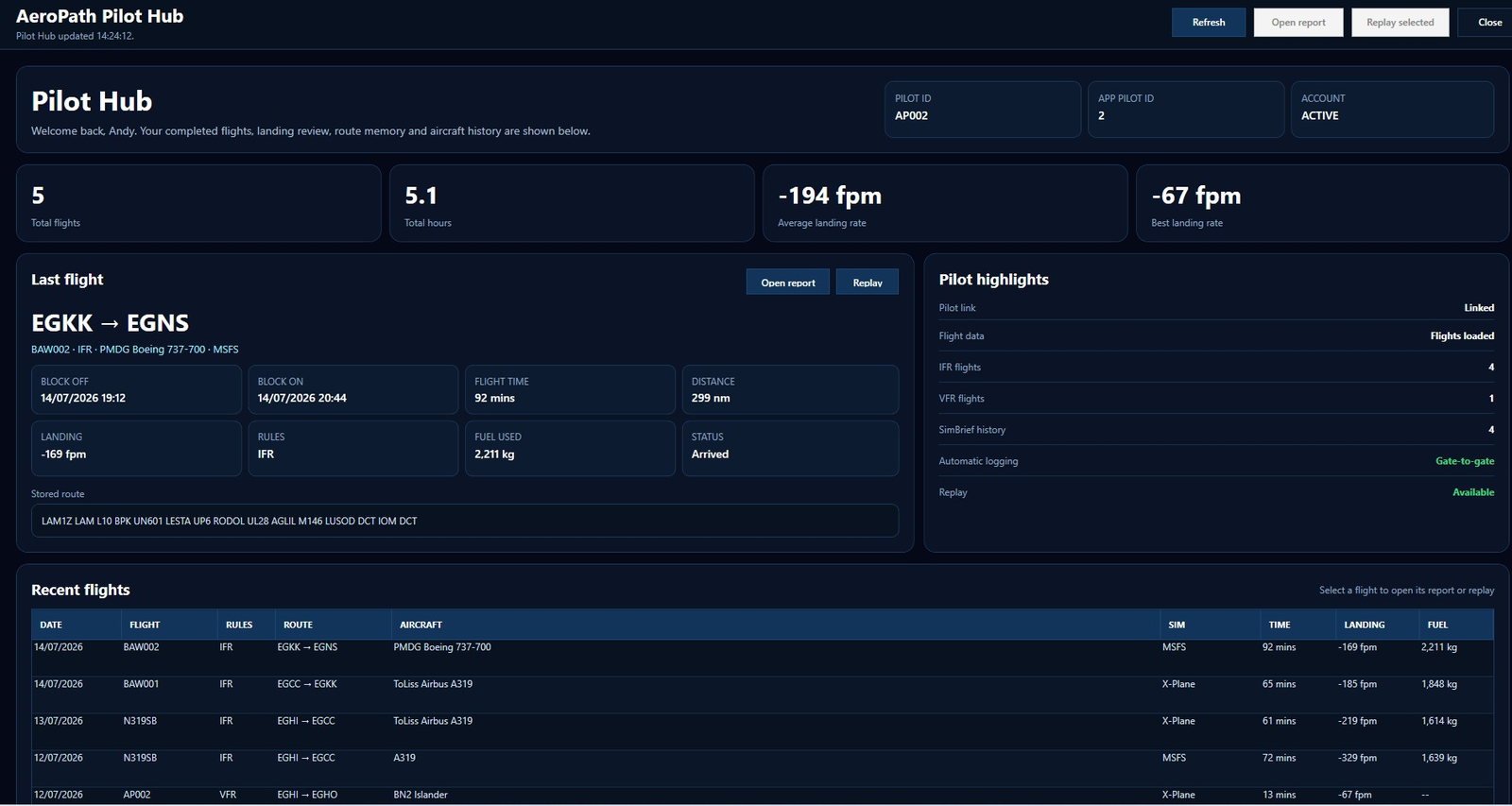
Pilot record
Pilot Hub
Review personal totals, flying hours, landing performance, your latest
sector, stored routes and recent AeroPath flight history.
History
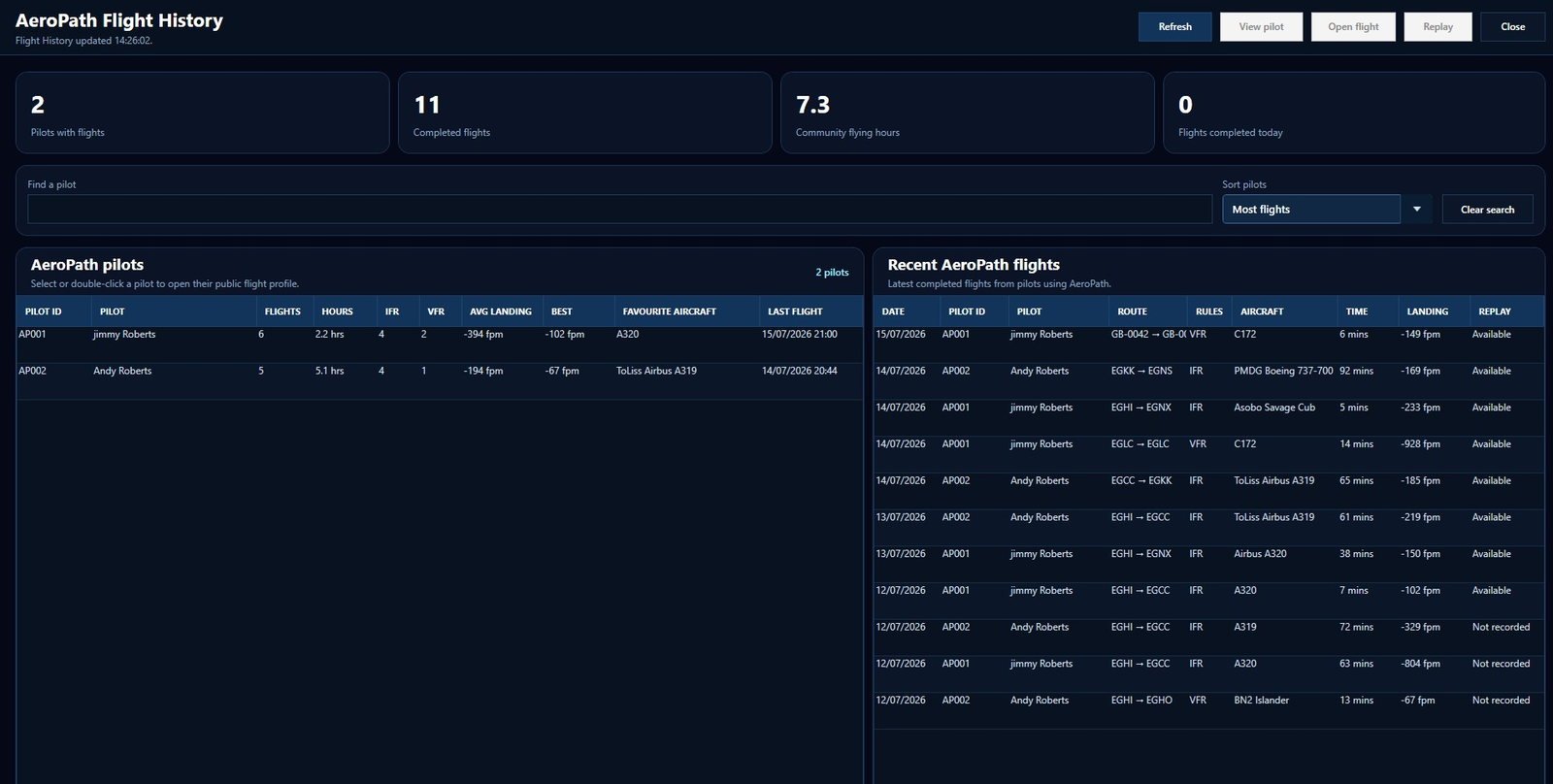
Flight history
Browse completed flights, routes, aircraft and landing information, then
open stored reports or replays from the same structured history view.
Review
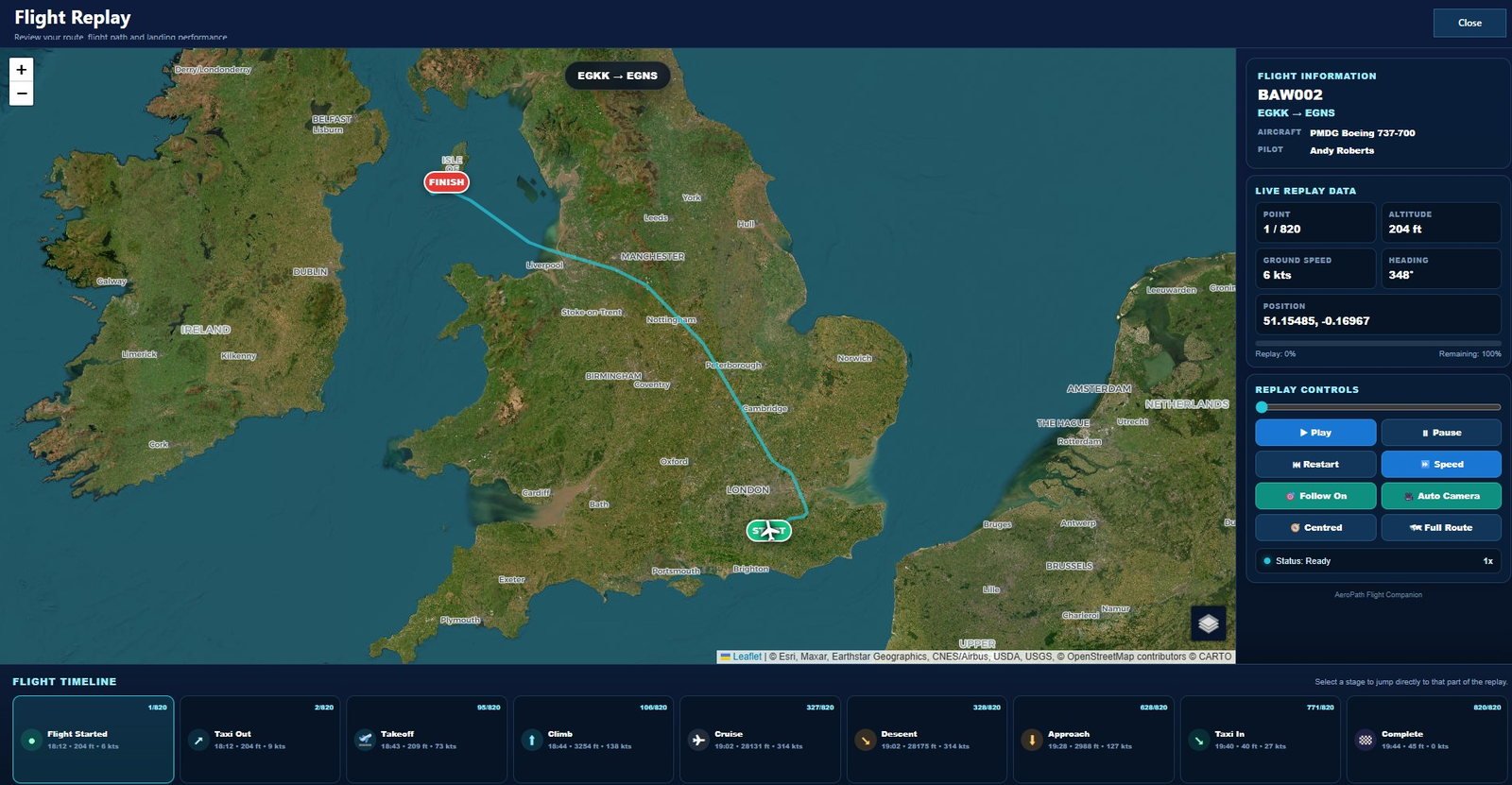
Full flight replay
Replay the stored route with aircraft movement, altitude, speed, heading,
camera controls and a timeline covering taxi, take-off, climb, cruise,
descent, approach and arrival.
More than the screenshots
The connected features sit around these main screens.
Some of AeroPath's most important features are experienced directly in the
simulator or during a connected session rather than on a single desktop
screen.
Cross-platform multiplayer
See participating AeroPath pilots across MSFS 2020, MSFS 2024 and
X-Plane 12 using available compatible aircraft models.
Group Flights
Create a shared sector and keep participating pilots working from the
same route and flight details.
In trial
Shared Cockpit
Shared Cockpit is currently being trialled and will become part of the
AeroPath connected flying experience once testing is complete.
Progressive taxi guidance
Follow taxi-out and taxi-in guidance inside supported simulator sessions
where usable airport taxi-network data is available.
Remote Mode
Run AeroPath Desktop on a separate Windows laptop while Simulator Bridge
handles simulator telemetry on the main PC.
Multilingual
Use AeroPath Desktop in English, German, French or Spanish, with automatic
Windows language detection available where supported.
Built for the whole journey
Plan. Taxi. Fly together. Track. Review.
Before departure
SimBrief, real-world routes, VFR planning and Airport Explorer help
prepare the flight.
During the flight
Automatic flight tracking, multiplayer, Group Flights and taxi
guidance operate around the live simulator session.
After arrival
Landing analysis, Flight History, Pilot Hub and replay keep the
completed sector available for review.
Try AeroPath
See the full system on your own simulator.
Create an account, install AeroPath Desktop and use the complete connected
flight companion during the 7-day trial.