Plan it. Fly it. Track it. Share it.
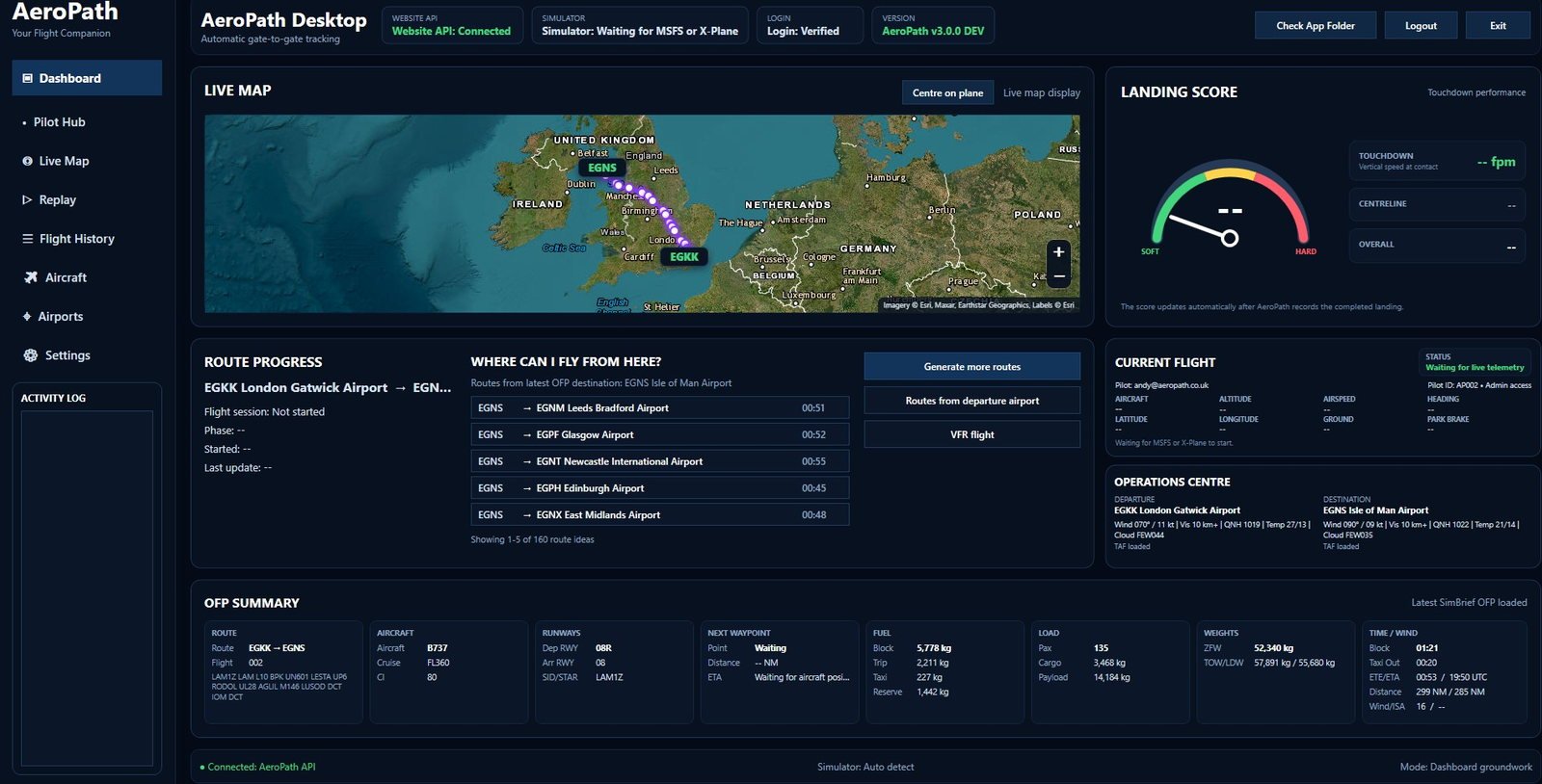
AeroPath brings automatic gate-to-gate flight tracking, cross-platform multiplayer, Group Flights, progressive taxi guidance, flight planning, landing analysis and replay into one Windows application for Microsoft Flight Simulator 2020, Microsoft Flight Simulator 2024 and X-Plane 12.
From the stand to shutdown, AeroPath follows the journey.
Set AeroPath up once and fly normally. The app detects the simulator, aircraft movement and flight phases automatically, records the full flight and gives you the tools to review it afterwards.
Plan
Import from SimBrief, use real-world routes, explore procedures or build your own route with AeroPath's planning tools.
Taxi
Use progressive taxi guidance for taxi-out and taxi-in where suitable airport taxi-network data is available.
Fly
AeroPath tracks the flight automatically while you concentrate on flying the aircraft.
Review
Park at the destination and review landing performance, replay, flight history and Pilot Hub records.
Flight simulation is better when the whole group is connected.
AeroPath connects participating pilots across Microsoft Flight Simulator 2020, Microsoft Flight Simulator 2024 and X-Plane 12, bringing multiplayer, Group Flights and shared flight information into the same ecosystem.
Cross-platform multiplayer
See participating AeroPath pilots in supported simulators with aircraft identity, registration, flight number, position and movement shared through the AeroPath network.
Group Flights
Create a group flight, bring pilots together and keep everyone working from the same shared route and flight details.
Shared Cockpit
Shared Cockpit is currently being trialled and is being added to the AeroPath connected flying experience. Full availability is coming soon.
MSFS and X-Plane, one AeroPath experience.
Use AeroPath with Microsoft Flight Simulator 2020, Microsoft Flight Simulator 2024 or X-Plane 12. Run everything on one PC, or use the optional Simulator Bridge to run AeroPath on a separate Windows laptop.
Everything around the flight, in one place.
Automatic flight tracking
AeroPath detects flight phases automatically from gate to gate and saves the completed flight when you park at the destination.
Progressive taxi guidance
Follow progressive guidance from the stand towards the runway and, after landing, towards suitable parking.
Airport Explorer
Review airport information, runway data, SIDs, STARs and approaches with procedure plotting and waypoint details.
SimBrief integration
Bring OFP data into AeroPath and combine it with route, fuel, aircraft and flight information.
Landing analysis
Review touchdown rate, landing grade and arrival performance after the flight.
Replay and history
Revisit completed flights with replay, Flight History and Pilot Hub records.
Use AeroPath in your language.
AeroPath Desktop includes built-in language support so pilots can use the app in English, German, French or Spanish.
AeroPath can follow the Windows display language where supported, or you can select the language directly from Settings.
No Start Flight. No End Flight. Just fly.
AeroPath detects your simulator, aircraft movement and flight phases automatically and keeps the full journey together from planning through to landing analysis.